Share each site with the right people
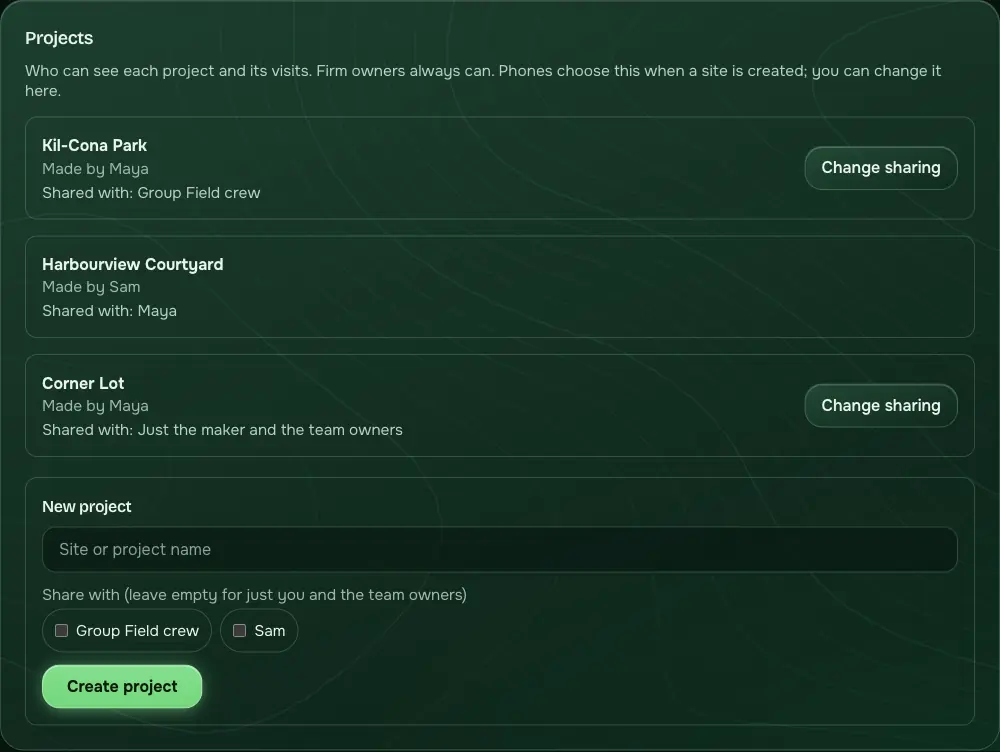
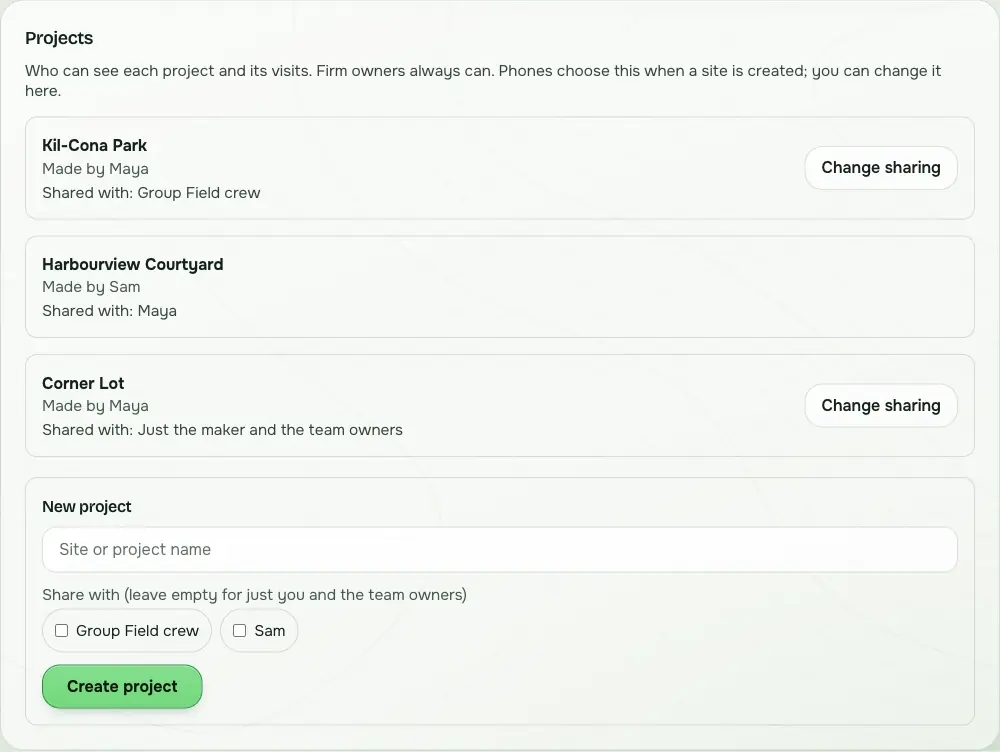
Make groups, then share a site with a whole group or a few people. Team owners can see every project in the team.
Field-tested in Manitoba
The site-visit app for landscape and architecture teams. Every photo, note and measurement shows who made it, where, and how far to trust the number.
Free for 14 days, no card. By invitation while we field-test. I have an invite code
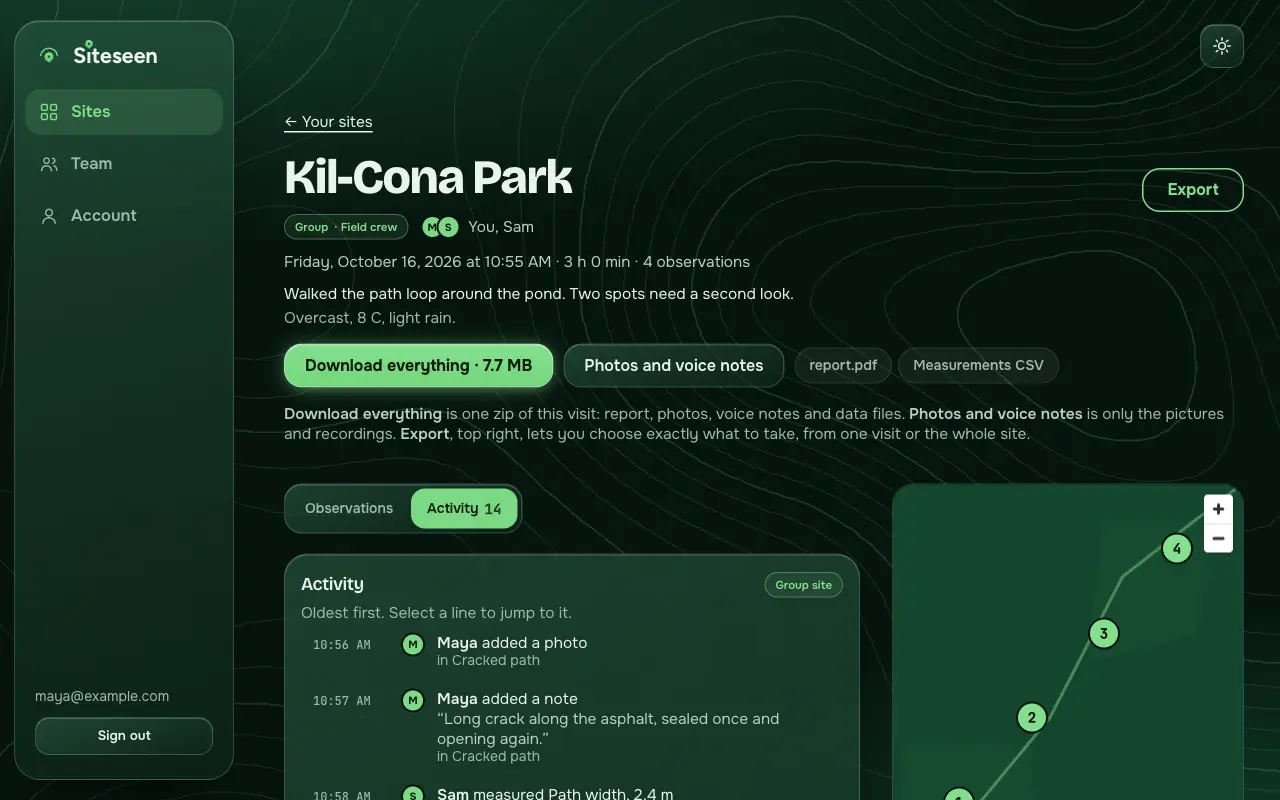
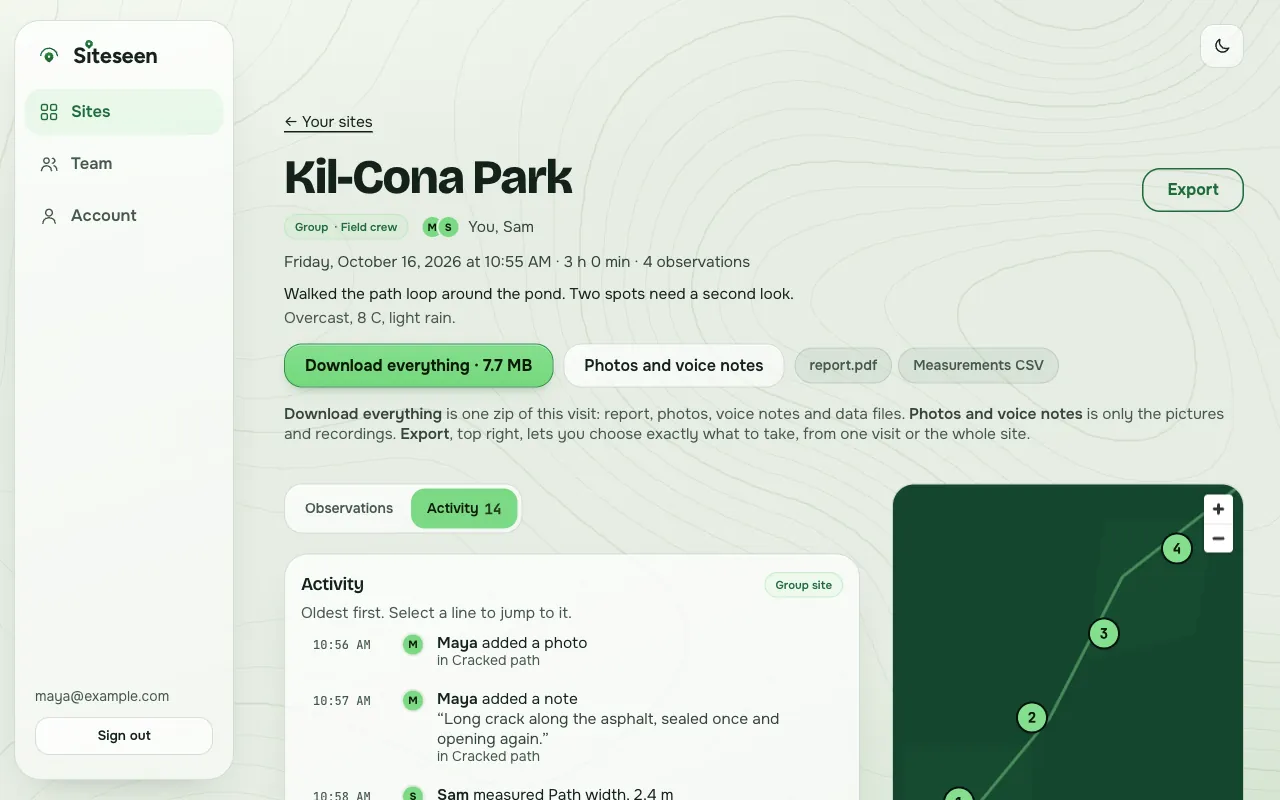
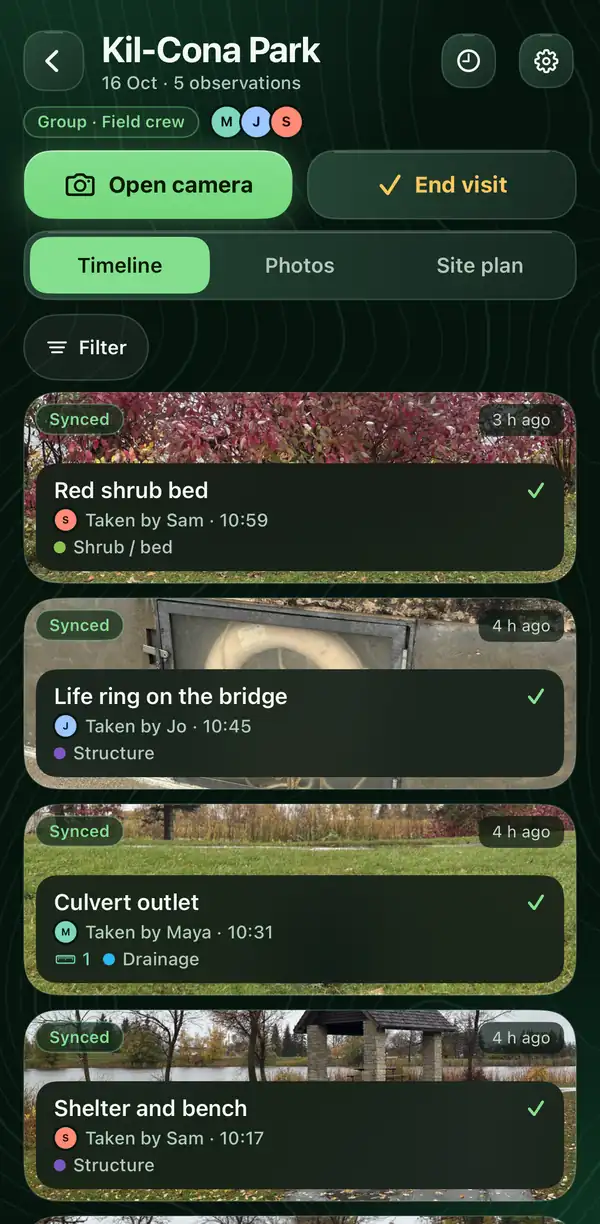
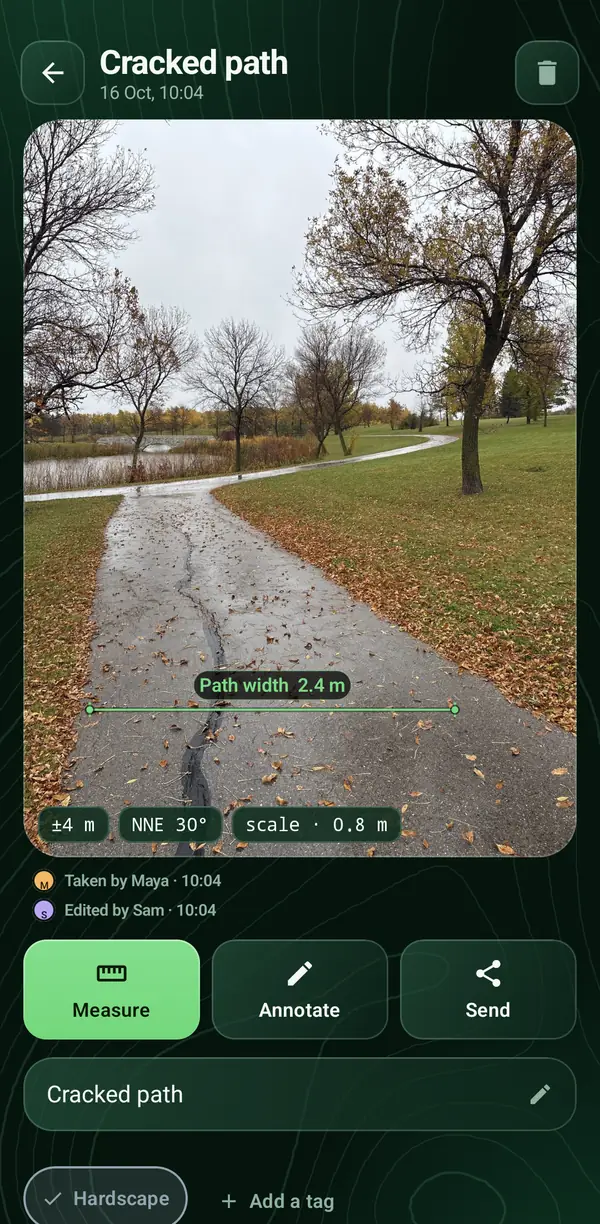
Real screens from the apps and the website. The people and notes are made up.
Why you can trust the numbers
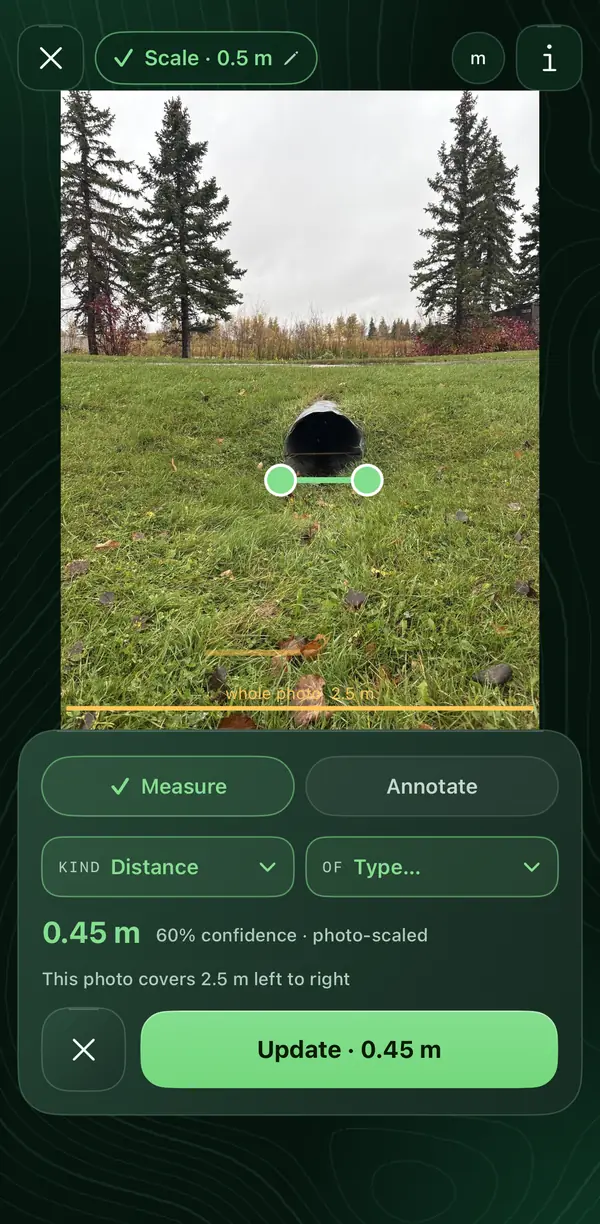
Every measurement from a photo shows its confidence, and how wide the whole photo is at that scale.
Shot a close-up from a few steps away and it comes out 13 metres wide? You see the scale is wrong on the spot, and take another photo. No second trip to re-measure.
How it works
Walk the site and tap. Photos, GPS position, tags, notes and voice notes go into one visit, with or without signal. Mark one length you know, then measure anything else in the photo. Every result shows how far to trust it.
The visit uploads by itself, encrypted, on Wi-Fi unless you allow mobile data. Each photo, note and measurement keeps the name of the person who made it.
Open siteseen.app. The visit, its photos, who did what and the PDF report are already there. Choose what to take away in three steps: report, photos, spreadsheets, map files.
PDF report · spreadsheets · Google Earth and GIS files · every photo
For teams and firms
From a small studio to a firm with a site team: one record of the work, and everyone knows who did what.
Make groups, then share a site with a whole group or a few people. Team owners can see every project in the team.
Every photo, note and measurement carries the name of the person who made it. The activity log lists each change with its time.
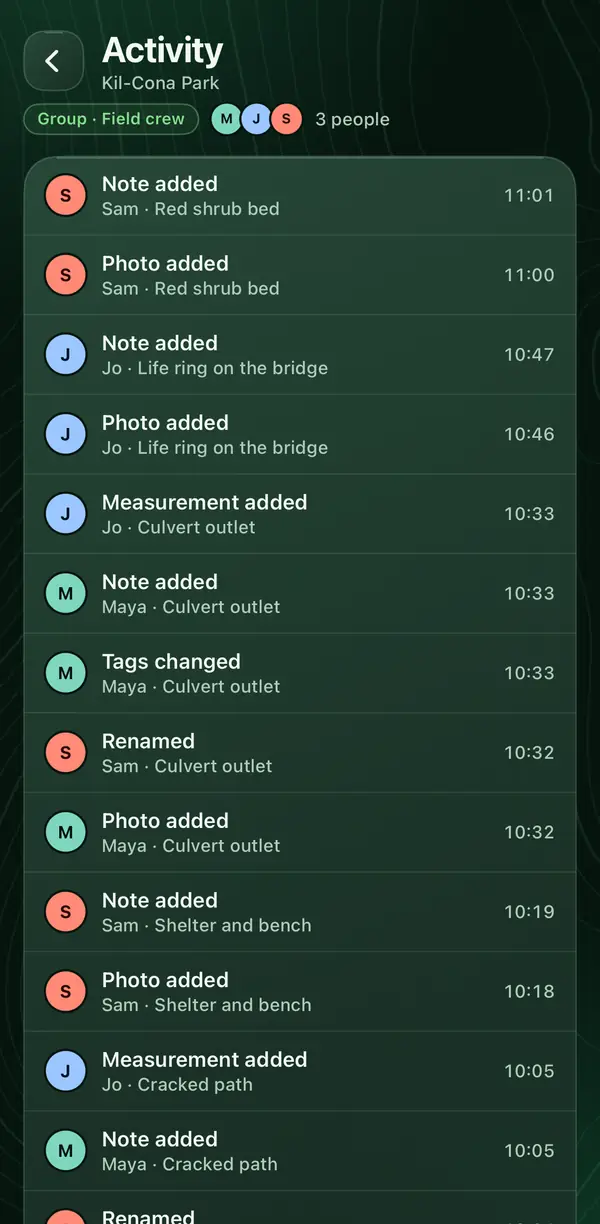
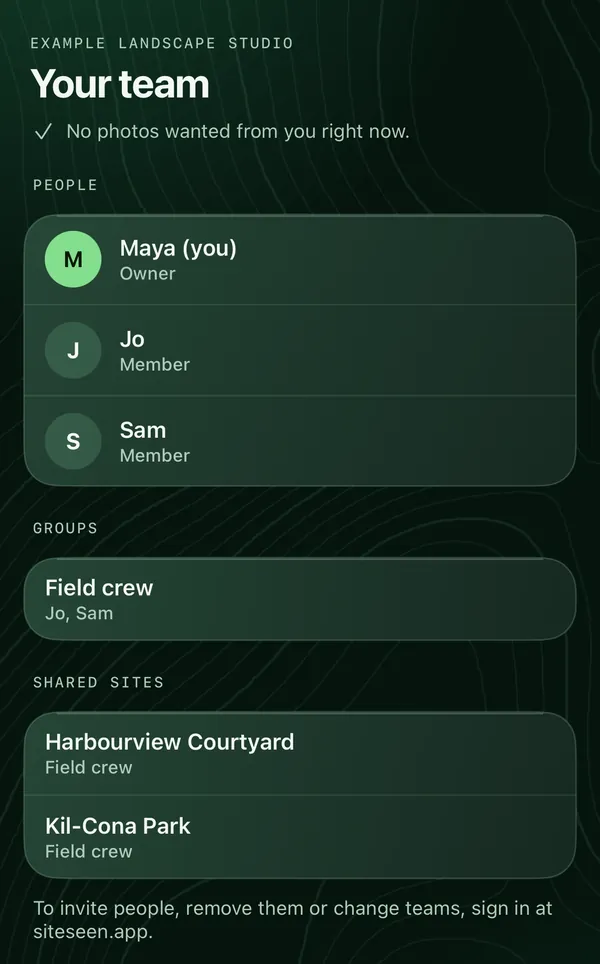
People, groups and shared sites are on the Team screen. Need a photo of a spot? Ask a teammate from siteseen.app and it shows up on their phone as a request.
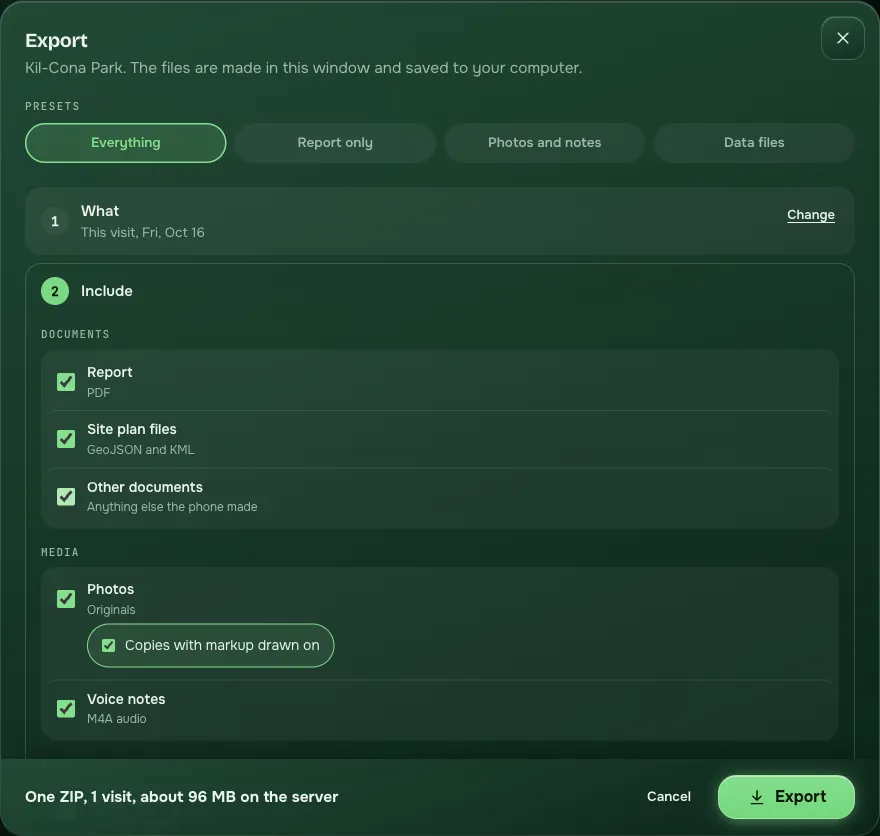
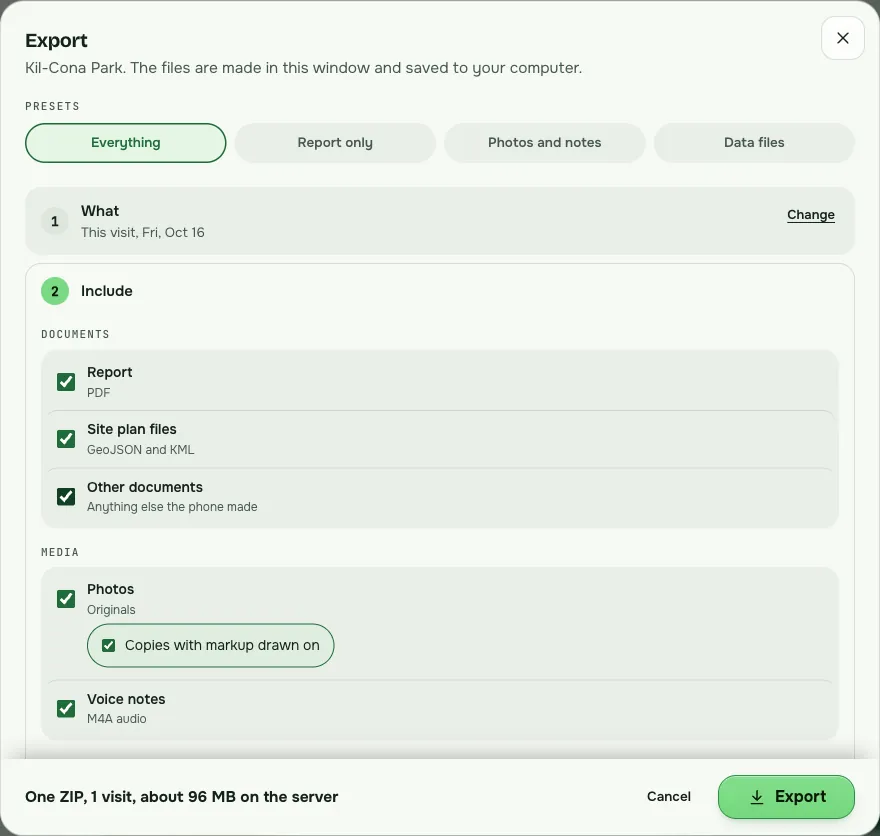
Choose what, choose what to include, choose how to pack it. The PDF report, photos with markup drawn on, voice notes, spreadsheets, and GIS and Google Earth files, as one zip or one zip per visit.
Each measurement carries a confidence and a check on the photo scale.
See the sun and shadow lengths for the site on any date. Pins sit on the map with their accuracy.
Capture, measure and review run on the phone. Only the satellite map and street address need a connection.
Encrypted on the phone before upload. Never sold. Delete your account any time.
Before and after
Those tools work. They also leave the putting-together to you, after the visit.
The usual wayA camera roll, sorted by hand when you get back.
With SiteseenEvery photo is kept with its place, time and direction, and the name of who took it.
The usual wayA number in a notebook, with no way to check it later.
With SiteseenA number with its confidence, and a warning when the photo scale looks wrong.
The usual wayScribbles on paper, typed up later.
With SiteseenTyped or spoken notes attached to the spot. Voice notes can be turned into text.
The usual wayWho took which photo is remembered, or it is not.
With SiteseenEvery photo, note and measurement says who made it. An activity log lists every change.
The usual wayBuilt by hand each time, a little different each time.
With SiteseenA PDF report and spreadsheets are made on the phone with the visit, the same way every time.
The usual wayOn one phone, one laptop, one shared drive.
With SiteseenBacked up to your team account by itself, and ready on siteseen.app.
For the firm owner
The activity log shows every photo, note, measurement and edit with the person and the time. It goes into the export too.
Each visit makes its own PDF report and spreadsheets on the phone. People do not format their own.
A visit backs up to your account when the phone has Wi-Fi. Download what you keep within 30 days, and we email you a week before photos expire.
Your data
Visits are encrypted on your phone before they upload, and stored encrypted. We hold the keys, so this is not end-to-end encryption. No ads, no analytics, nothing sold.
Yes. Capture, measuring and review run on the phone. Only the satellite map and the street address on your photos need a connection.
Nothing is on sale yet. The 14-day trial is free with no card, and we publish the price before anything is sold.
You, and the people you share a site with. Team owners can see every project in their team. A few companies run parts of the service for us; the privacy page names them.
Pricing
Available now
No card. Every feature. The 14 days start on your first site visit, and you have 30 days to make one.
Request an invitePlanned, price to be announced
Every plan has every feature. Nothing is held back to sell you a bigger one.
Invites, groups, sharing by site and photo requests all work today. One bill for everyone who goes out on site is not built yet. Tell us what your team needs.
Questions
Yes. Capture, measuring and review all run on the phone. Only the satellite map and the street address on your photos need a connection; offline, the address is left blank. Visits upload by themselves once the phone is on Wi-Fi, or on mobile data if you allow it.
Each person who goes out on site has their own account. Invite colleagues from the Team page on siteseen.app, put them in groups, and choose who can see each site. Team owners can see every project in the team. One bill for the whole team is not built yet.
No. While your trial or subscription is active, each visit uploads by itself with its PDF report, spreadsheets and map files, and is there when you open siteseen.app. To take a copy away, Export builds one zip, or one zip per visit, of what you choose.
Photographs, voice notes and reports stay on your account for 30 days after a visit was last worked on. We email you a week before. Download what you want to keep, or use Export.
It depends on your reference length and the angle of the shot. That is why every measurement shows a confidence and a check on the photo width, not a bare number. Treat it as a fast, checkable field estimate, not a substitute for a licensed survey or a stamped drawing.
Our servers run in Toronto, Canada. The database is in Ohio, in the United States, so we do not say your data stays in Canada. Visits are encrypted on your phone before upload and stored encrypted. We hold the keys, so this is not end-to-end encryption. The privacy page lists every company that runs part of the service.
Android and iPhone, plus siteseen.app in a browser. Both phone apps are in field testing, and neither is in the App Store or Google Play yet. They share the same core, so the measurement maths is identical.
No. Most stamped-photo apps print a confident address next to a photo that might be 100 m off. Siteseen shows its accuracy instead of hiding it, on every GPS fix and every measurement, and adds teams, an activity log and a report.
Fourteen days free, every feature included. Then see the visit, who did what, and its report waiting at your desk.
Request an inviteEmail us and we send you an invite code. No card. I have an invite code